Cockpits
Overview
As finoOS provides a wide range of data and insights in a modular way, the FinoOS Cockpit can be seen as a data sheet that combines most analyses into a single response.
After a user has connected via FinoOS Banking, the cockpit can be obtained
and is available for person or company finoOS users.
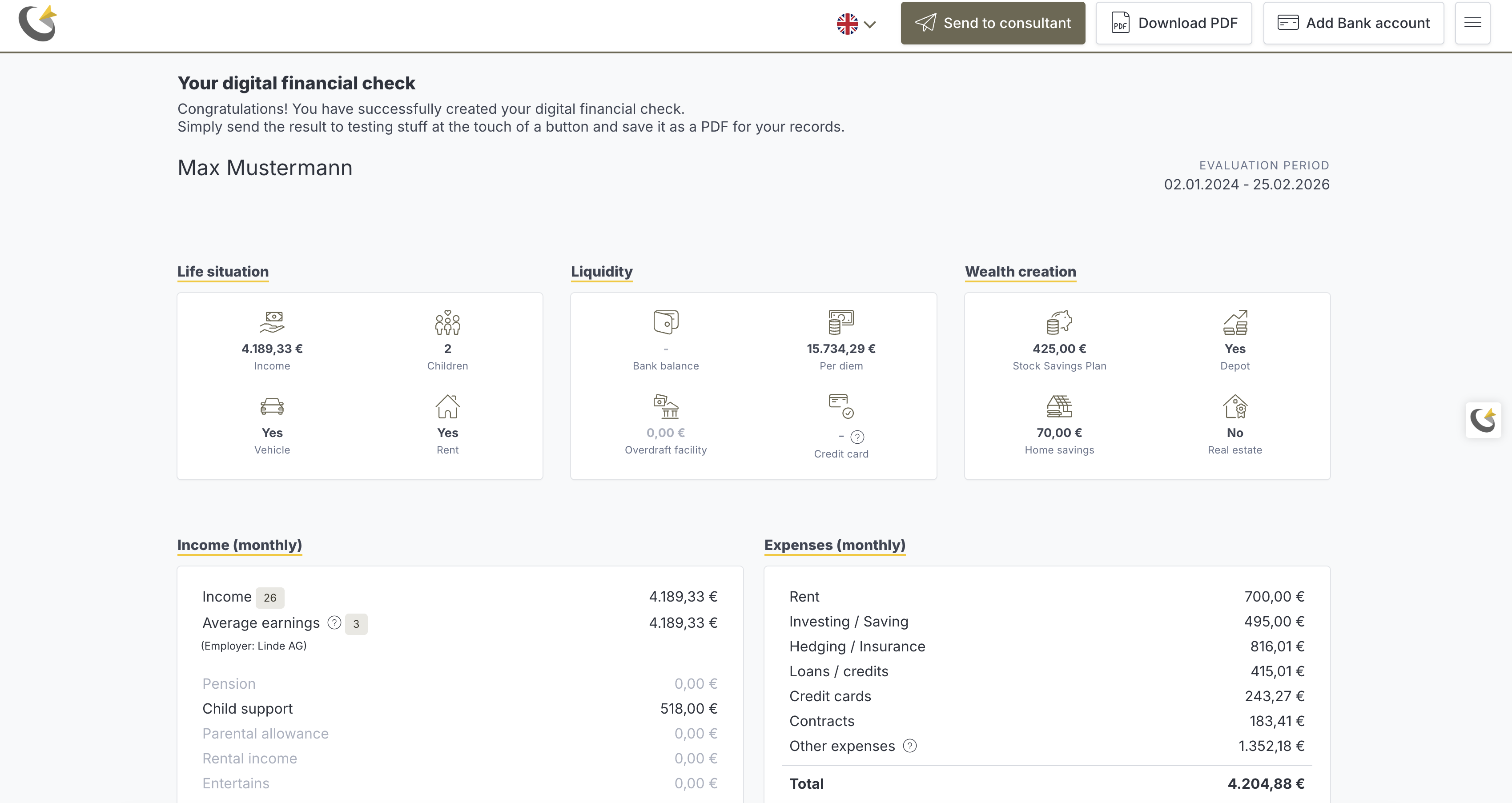
Here is an example of how a person cockpit looks when viewed as a web link:
Configuration
The cockpit is fully customizable and can be adapted to your needs. This means that you can
- choose which modules should be included in the cockpit
- choose the layout and order of the modules
- customize the design of the cockpit with your own branding and colors
via the patch cockpit tenant config.
Advisors
Another aspect of the cockpit is that it can be used to directly share data from the end user with a potential advisor or consultant within your company.
As shown in the screenshot, there is a "Send to consultant" button that the end user can use to share the cockpit with a consultant if desired.
For this to work, you have to set up Advisors via the API. Each advisor will then receive a unique link that end customers can use to create cockpits for them.
The process looks like this:
- You create an advisor via the API and receive a unique link for that advisor.
- You share that link with your end users (e.g. via email or website).
- The end user clicks the link and creates a cockpit by connecting their bank data via FinoOS Connect.
- The end user clicks "Send to consultant" to share the cockpit with the advisor.
- The advisor receives an email with a link to view the end user’s cockpit.
- Depending on your use case, the advisor can then contact the end user to provide advice or support based on the insights from the cockpit.
Managed Cockpit Portal
Although the cockpit and all its features are available via the API, if you only intend to use the Cockpit and no other finoOS API features, we also provide a managed Cockpit Portal.
This portal allows you to set up your Cockpit Tenant and Advisors via a web UI without the need to write any code or perform any API integration.
If this is of interest to you, please contact us directly.